 COME
COME
Separate the stages of a withdrawal
The time between pressing Submit and seeing a bank credit can include more than one stage. The app first needs to record the request; the order may then show a processing status before the receiving account records a matching credit.
A general message about fast processing does not identify the stage of your particular order. The most useful information is the order number, request time, current status and any message shown with it.
Check the account destination as well. Looking at the wrong saved bank account can make a completed credit appear missing. Use the order’s actual receiving details when comparing transaction history.
Make a short timeline for this order
- Write down the request time shown in the withdrawal record.
- Save the first status and any later status changes you notice.
- Record the time you checked the receiving account and whether a matching credit appeared.
- Keep any expected review window displayed for the order.
- Add the support-ticket number and the time of the latest response, if you have one.
Use the times as the app or bank displays them, and include the timezone if it is shown. A short, consistent timeline is more helpful than repeatedly refreshing without keeping the result.
Use the guide for the current status
| Current position | What to check |
|---|---|
| Pending or processing | The latest order message and whether anything is required from you |
| Bank processing | Whether a bank or payment reference is available |
| Successful, no matching credit | The receiving account statement and a transfer trace |
| Failed or rejected | The reason and the related balance entry before another request |
Read the matching instructions for pending, successful but missing or failed. Different statuses should not all receive the same “wait longer” answer.
When and how to ask for an update
If the request has gone beyond the guidance shown for that order, the status is unclear or the account records do not agree, contact Customer Center. You can also ask what an unfamiliar message means before taking another action.
Open the account menu, choose Contact CS and use My Tickets or Withdrawal Issues where the order is available. Otherwise use Live Chat. Send the order number, amount, time, latest status and screenshot, and ask which stage needs attention.
A stated review estimate is useful context, but it does not guarantee a bank-credit deadline. Ask for the next check or information required rather than assuming a universal two-minute or same-day outcome.
Check whether the issue is settlement instead
If a match result has not been reflected in the account and you have no withdrawal order for the amount, the issue may concern settlement rather than a bank transfer. Describe that problem through Settlement Issues in Customer Center.
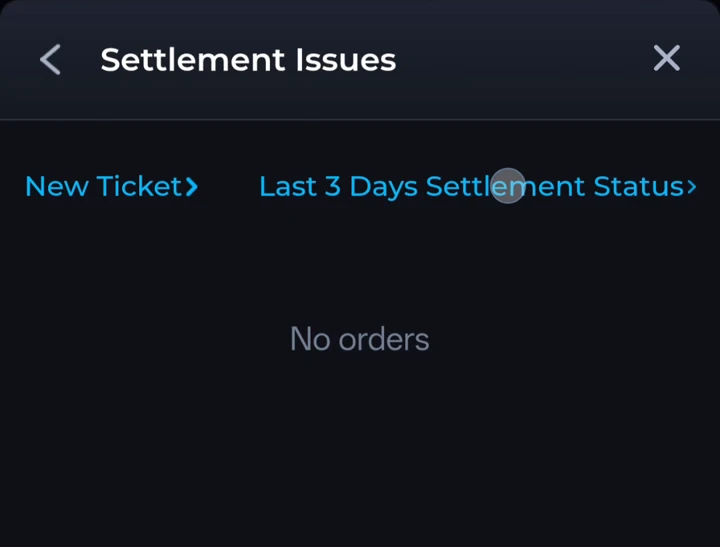
That form includes Select Match, Entry Fee, Amount Due, up to three game screenshots and an issue description. Use the relevant details for the disputed result. For an existing withdrawal, keep using the withdrawal order instead. Our help page explains the distinction between these routes.
Your questions, answered.
Are all COME withdrawals completed in two minutes?
This guide does not promise a fixed completion time. Check the current order status and account guidance, then contact Customer Center about your specific request.
Should I just keep waiting if the status is successful?
Check the receiving account’s transaction history. If there is no matching credit, follow the successful-but-not-received steps and ask for a transfer trace.
Will reinstalling COME speed up a withdrawal?
Reinstalling does not complete a transfer. Keep the order record and follow the relevant status or support route.