 COME
COME
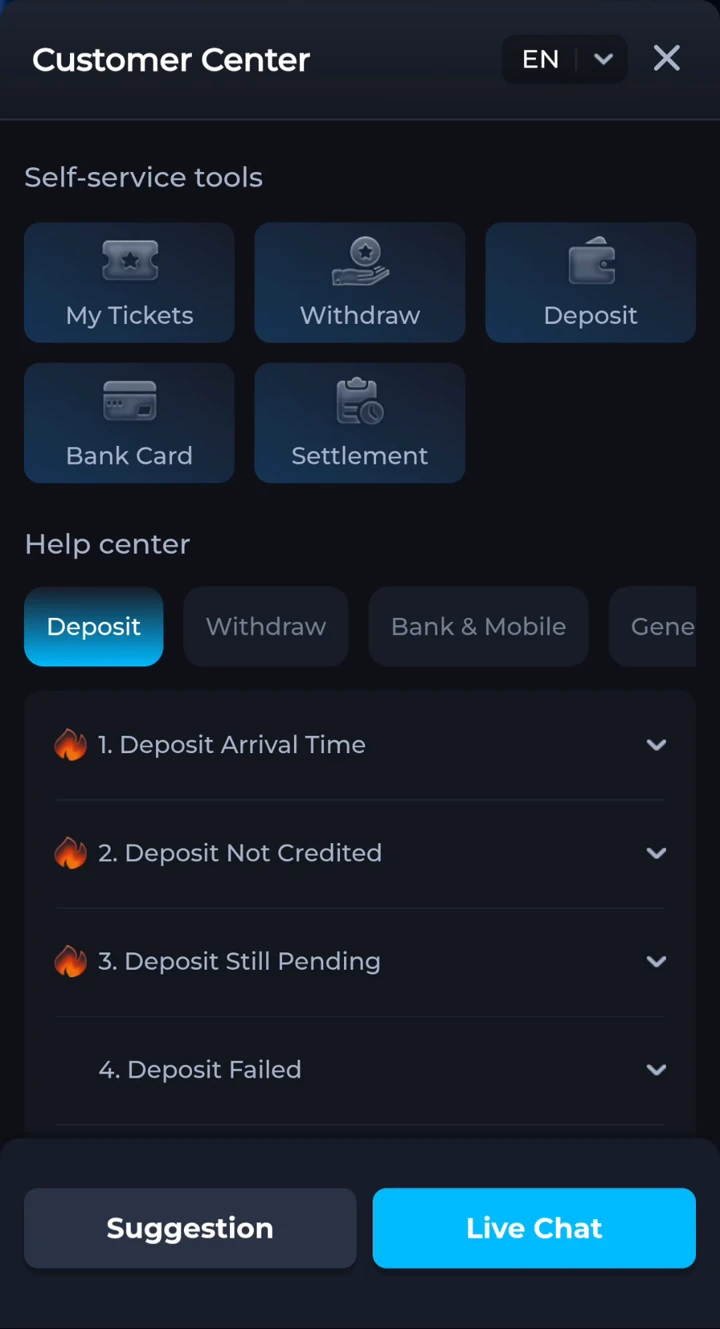
Open Customer Center.
- Open the COME app or the COME interface where you use your account.
- Open the account menu, then Contact CS to reach Customer Center.
- Use Live Chat for a conversation, or My Tickets to follow an existing request.
- Choose a specific issue, such as Withdraw, Deposit, Bank Card or Settlement, when those options are shown.
If you cannot access the account menu, use the account-access branches below. Keep any existing signed-in session available. Do not create a second account solely to get around an access problem.
If you cannot access your account.
- You can still open a signed-in session: use Contact CS in that session and include the login or device problem in your request.
- Another device is still signed in: keep that session available and contact Customer Center there. Do not sign out or uninstall it while trying to recover access.
- No session is accessible: use a help option on the login screen if COME displays one. If no help option is available, this website cannot submit a recovery ticket for you and does not have a verified external account-recovery contact to provide.
Keep your account identifier, the exact error, device details and any previous ticket number ready. Do not pay a person claiming they can unlock the account, share an OTP or install remote-control software at their request.
Prepare one useful support request.
- Your account identifier, shared only inside the support conversation.
- The order or match reference, date and amount relevant to the issue.
- The exact status or error message you see.
- A screenshot with unrelated personal or banking details hidden.
- The checks you already completed and an existing ticket number, if any.
Do not share passwords, OTPs, UPI PINs or full payment-card details. Keep follow-up information in the same ticket where possible, so the issue stays together.
Choose the issue you have.
For a match settlement question.
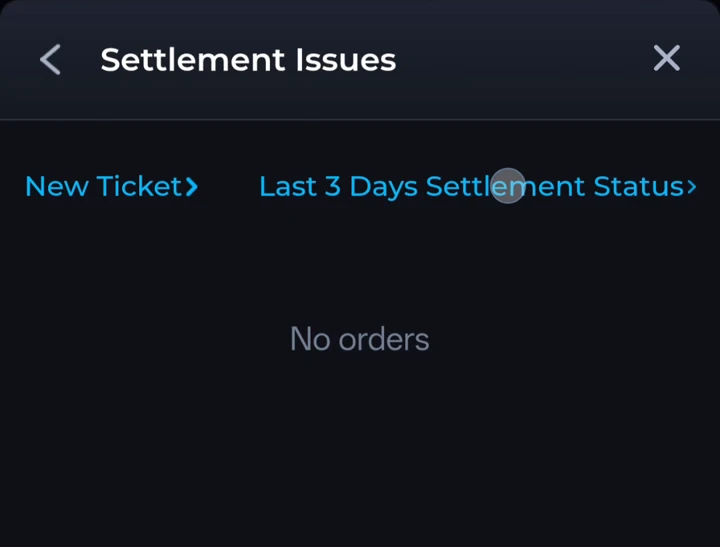
Choose Settlement in Customer Center. Open Settlement Issues to create a New Ticket or check Last 3 Days Settlement Status. A settlement form may ask you to select the match, enter the entry fee and amount due, describe the issue and attach screenshots.
Explain which result or calculation you are questioning. A ticket submission is a request for review; it is not an approval or a promise of repayment.
About help on this website.
The guides here do not access your app account or submit a ticket on your behalf. No WhatsApp or Telegram button on this website acts as Customer Center. Use the support options displayed inside COME for account issues.
For Android setup problems, visit our Android help guides. For account access, see account and safety help.